



For new years 2026 we’re hosting a fully prerecorded event being held in a new revision of the Aura Grove we’re making for this party!
We’re building a small team working together putting together lights, visuals, lyric videos and whatever other creative ideas you have for this special pre-recorded New Years Event!
About the world:
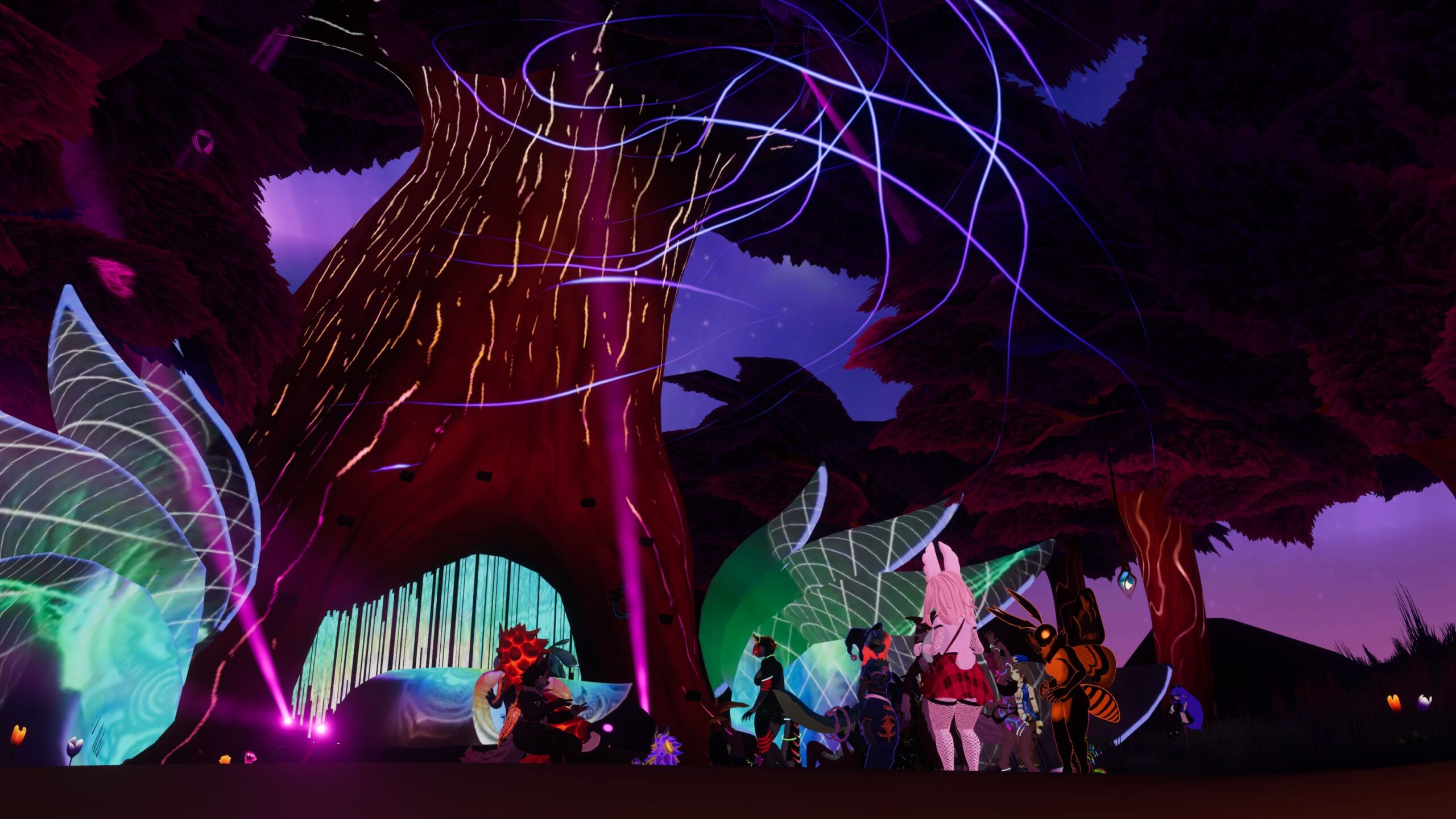
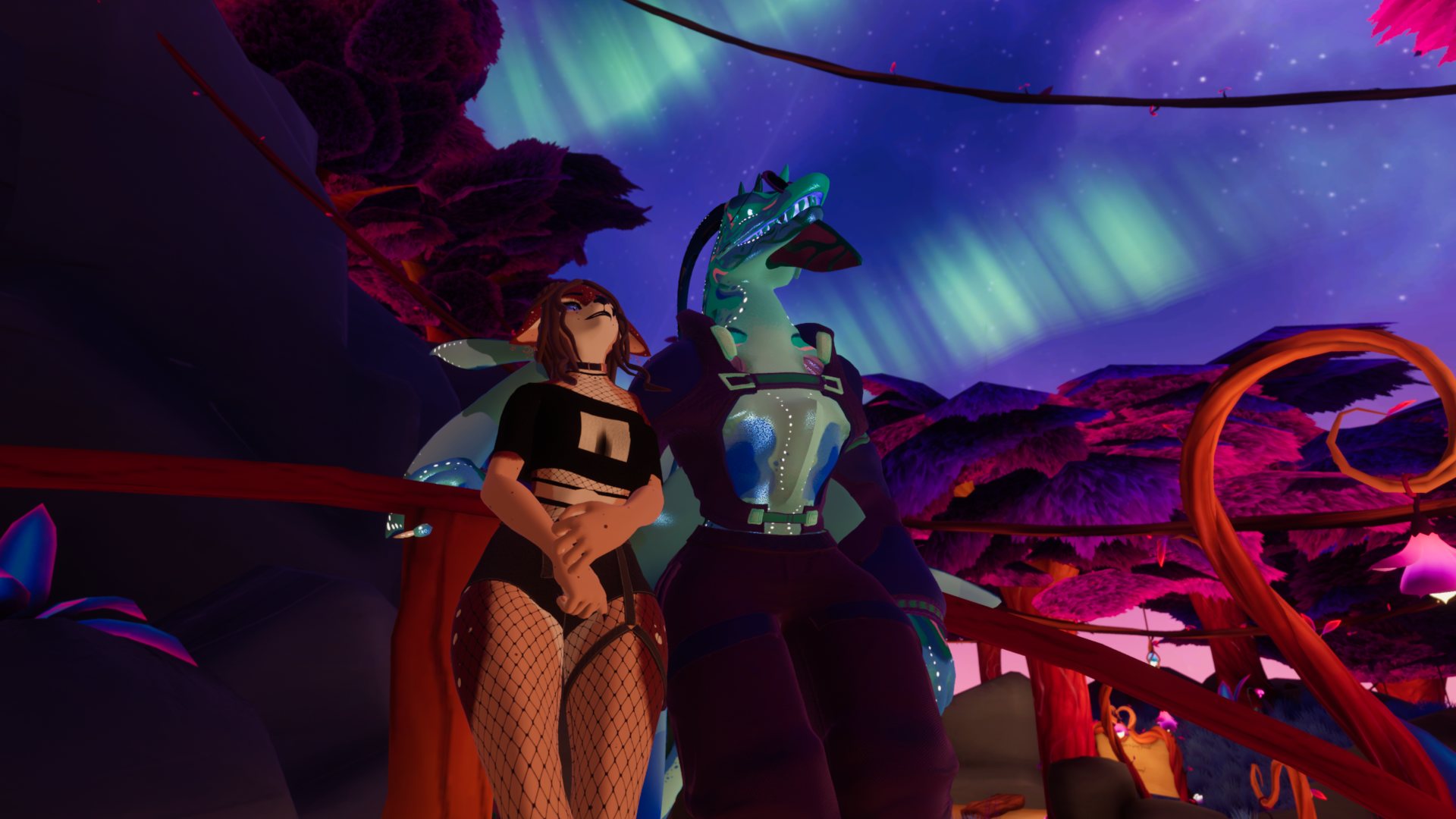
Aura Grove is the squishyfamily’s party world, a bioluminecent forest with a large tree that turns into a stage.
There is a handful of areas around the floating island with different games to play.
Made in collaboration between me(Squishy) and my good friends Bwibble and Sapphire.
For the new years party we’re working on a brand new updated version!
There will be some new years specific stuff, like fireworks, but we’re also looking to add more cozy areas and other small touches.
Key info:
– The event is centered around midnight in EU and in the US.
– We’re primarily looking for VJs and LDs rn, but feel free to reach out if you want to DJ as well!
We might be able to squeeze a few more in, and if not there is more events upcoming!
– The event is likely going to have one public and one group+ instance
I’m trying to make this event as collaborative as possible, so you don’t have to take responsibility for a full set if you don’t want to! Just want to do certain parts of compositing? Love shooting videos in VR? Don’t really do visuals, but know one hell of a dancer? do lights and wanna do an insane laser show for that one song? Go ham!We still need you! (really! small contributions are still contributions!)
If you have another skillset than these outlined here and think you could contribute elsewhere, don’t hesitate to reach out to Squishy! (join the discord!)
You want to help out? We’re collaborating in the discord!
Link to a private test world is also available there.
The techincal details is likely more updated there as well, as we’re working on things still.
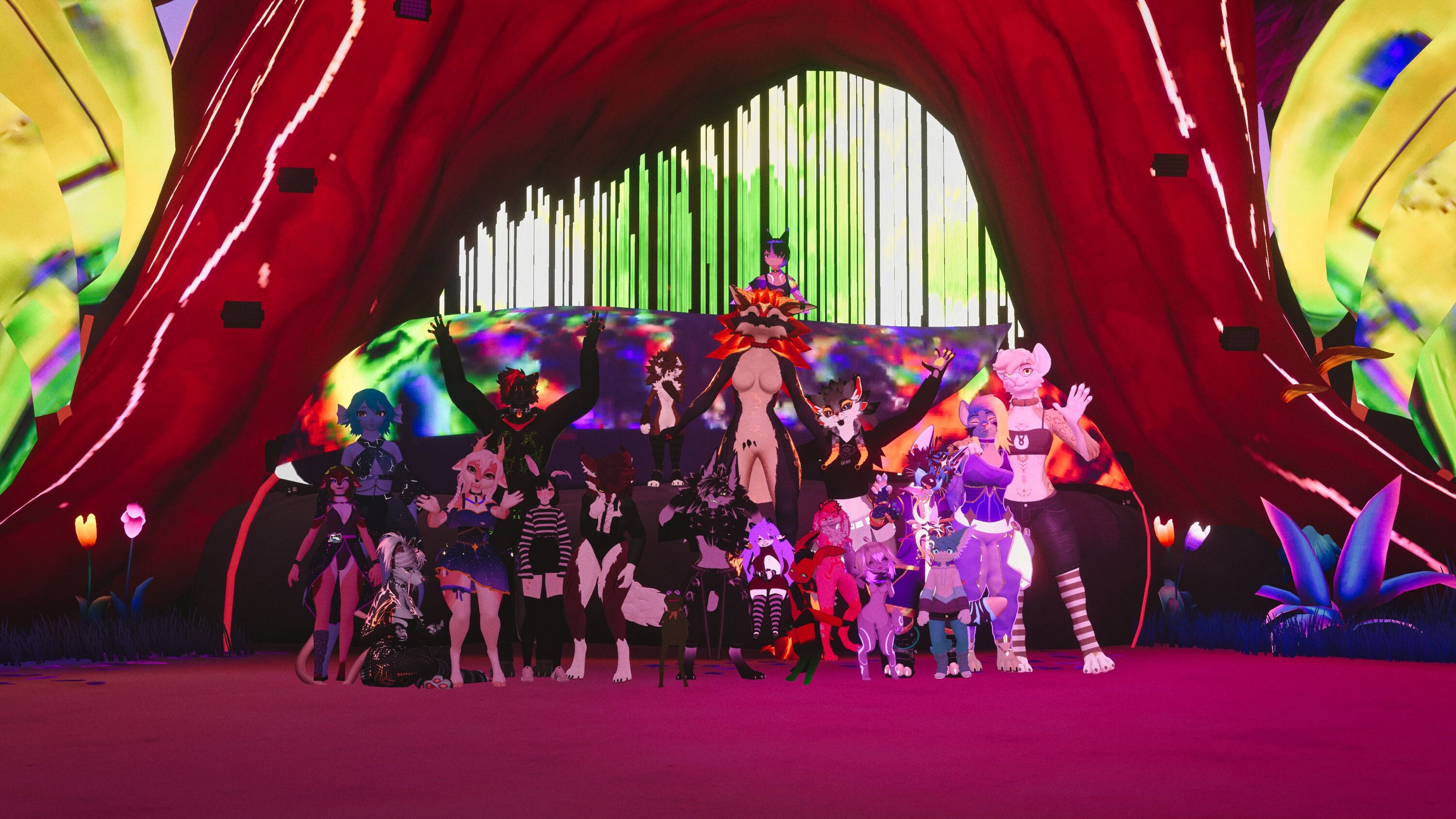
For DJs
You’ll be the main person in charge of your own set, so that if anyone has broader questions they ask you. (you can delegate this to someone else if you want/need)
The goal is for you to have a setlist and/or an early version of your set available soon™, so that the video and light people can get to work! There is a sheet for you to put the setlist into where you can also add notes for the others in what you’d like for a song “I want every zoom to have a laser pls“
You’re more than encouraged to take as much creative control as you’d like, but even if you set yourself as responsible for the video, don’t hesitate to ask for collaborators so you can make it even better! (you’re also free to just let others go ham on your set ofc)
Technical
– Since we want to do a hologram of you, when you’re finished with your set, we should capture a recording of you performing the set. If you want to record this yourself reach out to squishy for technical details of this recording, otherwise we’ll do the recording for you, you just perform :3
– The final product should be an audio or video file of your finished set.
– Setlists and WIP recordings are super helpful if you can share early!
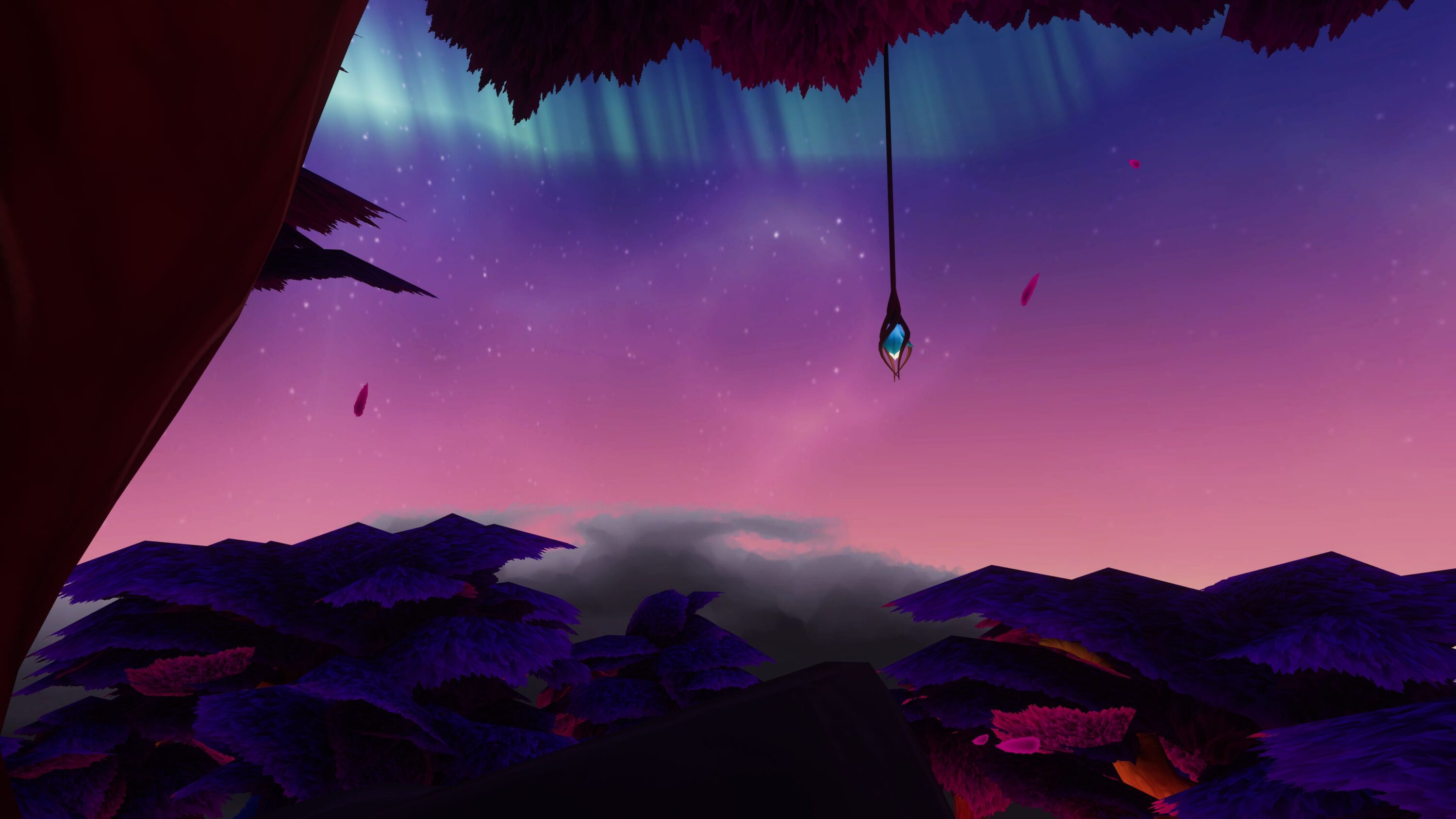
For VJs
We’re looking for one person responsible for a video being finished and rendered out for each set, but that doesn’t mean you have to do it all yourself! Please do collaborate with others!
To claim responsibility for a set, see the document linked in the discord.
If you don’t feel like taking a whole set or just want to learn and contribute, feel free to reach out to the people in charge of sets(or squishy) and collaborate with either taking sections, songs or just helping out with video capture or cool visuals! (or anything else you can think of that would be cool!)
Technical:
Here is the UV and the Mask. Beware that this might change, so check with squishy before finalizing you stuff.
(we might need to make the gridnode larger, and we’re adding the hologram areas)


– Test world is linked in the discord!
– Squishy can help transforming a basic 16:9 video to be usable on there, but its way cooler if its actually made for the screens! Experiment and have fun!
– Let squishy know if you need to borrow a temporary VRCDN key for testing
– Let squishy know if you need a file drop link to share larger files with others
– The final product should be a rendered video matched to the set provided by the DJ
For LDs
For LDs
I’m looking for one person responsible for each set’s lighting, but feel free to let others take sections of it!
If you don’t feel like taking a whole set or just want to learn and contribute, feel free to grab a song from the setlist and let whoever is in charge of it know that you’d like to try!
(this might be a bit more hard to integrate seamlessly, so remember to communicate well here!)
Whenever we start getting the setlists you can just pick whatever set inspires you and start working, just set yourself as responsible in the sheet linked in the discord
Technical:
– Some more fixtures are planned to be added to the world, like fireworks and theme colour control.
– Let squishy know if you need a file drop link to share larger files with others
– The final product should be a recording of your gridnode on a black screen. (I think)(if you have good ideas/alternatives here let squishy know!)
– Let squishy know if you need to borrow a temporary VRCDN key for testing
Fixtures:
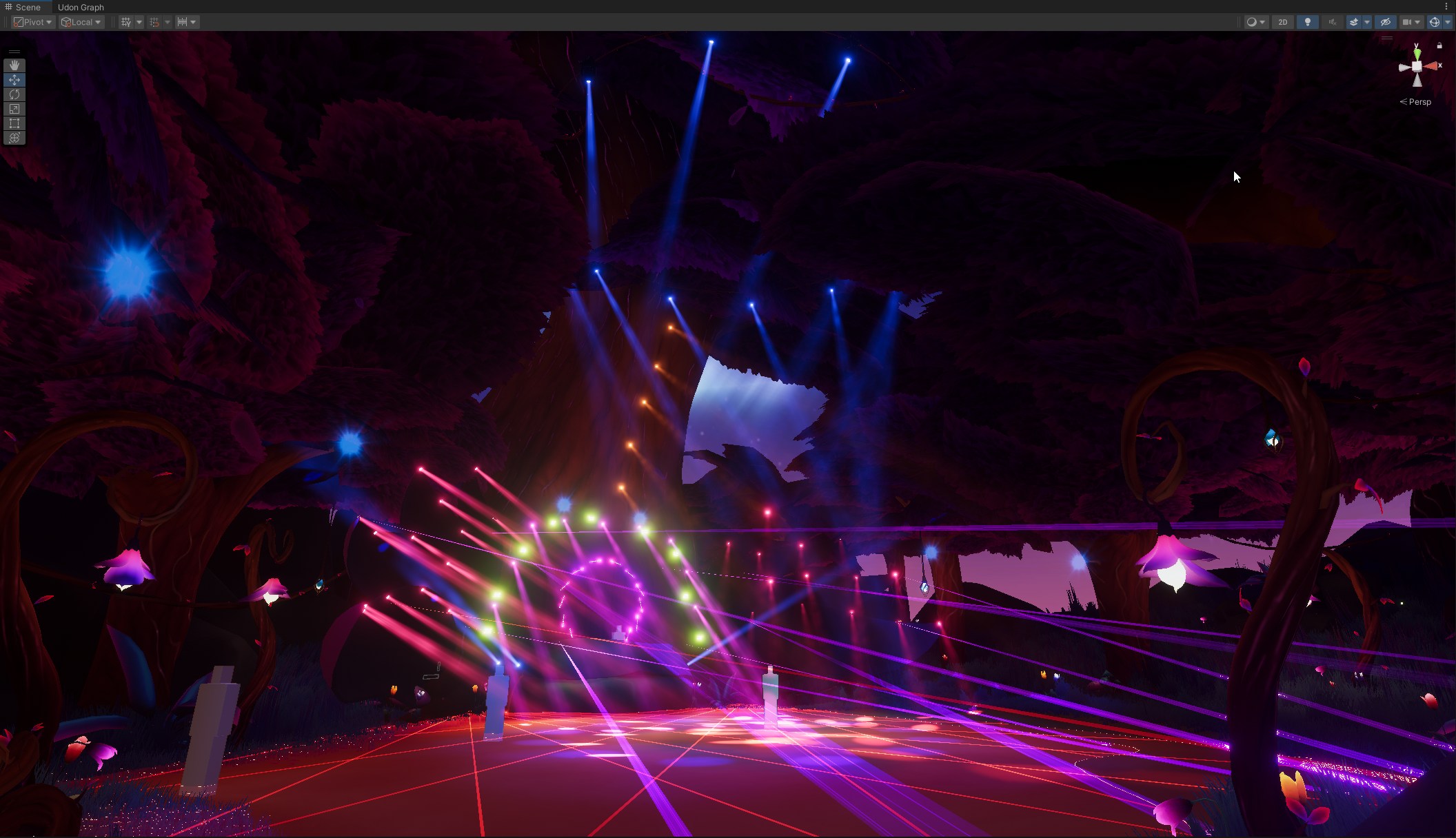
Patch sheet
This is the current patch list! Double check the discord for downloads and more recent updates. Are the fireworks here yet?
Patch Sheet
| Fixture ID | Model | Mode | ‘DMX Address | Comment |
| 1 | VRSL Moving Head | 13-CH (13-Channel) | ‘1.001 | Circle overhead 1 |
| 2 | VRSL Moving Head | 13-CH (13-Channel) | ‘1.014 | Circle overhead 2 |
| 3 | VRSL Moving Head | 13-CH (13-Channel) | ‘1.027 | Circle overhead 3 |
| 4 | VRSL Moving Head | 13-CH (13-Channel) | ‘1.040 | Circle overhead 4 |
| 5 | VRSL Moving Head | 13-CH (13-Channel) | ‘1.053 | Circle overhead 5 |
| 6 | VRSL Moving Head | 13-CH (13-Channel) | ‘1.066 | Circle overhead 6 |
| 7 | VRSL Moving Head | 13-CH (13-Channel) | ‘1.079 | Circle overhead 7 |
| 8 | VRSL Moving Head | 13-CH (13-Channel) | ‘1.092 | Circle overhead 8 |
| 9 | VRSL Moving Head | 13-CH (13-Channel) | ‘1.105 | Circle overhead 9 |
| 10 | VRSL Moving Head | 13-CH (13-Channel) | ‘1.118 | Circle overhead 10 |
| 11 | VRSL Moving Head | 13-CH (13-Channel) | ‘1.131 | Circle overhead 11 |
| 12 | VRSL Moving Head | 13-CH (13-Channel) | ‘1.144 | Circle overhead 12 |
| 13 | VRSL Moving Head | 13-CH (13-Channel) | ‘1.157 | Left Leaf 1 |
| 14 | VRSL Moving Head | 13-CH (13-Channel) | ‘1.170 | Left Leaf 2 |
| 15 | VRSL Moving Head | 13-CH (13-Channel) | ‘1.183 | Left Leaf 3 |
| 16 | VRSL Moving Head | 13-CH (13-Channel) | ‘1.196 | Left Leaf 4 |
| 17 | VRSL Moving Head | 13-CH (13-Channel) | ‘1.209 | Left Leaf 5 |
| 18 | VRSL Moving Head | 13-CH (13-Channel) | ‘1.222 | Left Leaf 6 |
| 19 | VRSL Moving Head | 13-CH (13-Channel) | ‘1.235 | Left Leaf 7 |
| 20 | VRSL Moving Head | 13-CH (13-Channel) | ‘1.248 | Left Leaf 8 |
| 21 | VRSL Moving Head | 13-CH (13-Channel) | ‘1.261 | Left Leaf 9 |
| 22 | VRSL Moving Head | 13-CH (13-Channel) | ‘1.274 | Left Leaf 10 |
| 23 | VRSL Moving Head | 13-CH (13-Channel) | ‘1.287 | Left Leaf 11 |
| 24 | VRSL Moving Head | 13-CH (13-Channel) | ‘1.300 | Left Leaf 12 |
| 25 | VRSL Moving Head | 13-CH (13-Channel) | ‘1.313 | Left Leaf 13 |
| 26 | VRSL Moving Head | 13-CH (13-Channel) | ‘1.326 | Left Leaf 14 |
| 27 | VRSL Moving Head | 13-CH (13-Channel) | ‘1.339 | Right Leaf 1 |
| 28 | VRSL Moving Head | 13-CH (13-Channel) | ‘1.352 | Right Leaf 2 |
| 29 | VRSL Moving Head | 13-CH (13-Channel) | ‘1.365 | Right Leaf 3 |
| 30 | VRSL Moving Head | 13-CH (13-Channel) | ‘1.378 | Right Leaf 4 |
| 31 | VRSL Moving Head | 13-CH (13-Channel) | ‘1.391 | Right Leaf 5 |
| 32 | VRSL Moving Head | 13-CH (13-Channel) | ‘1.404 | Right Leaf 6 |
| 33 | VRSL Moving Head | 13-CH (13-Channel) | ‘1.417 | Right Leaf 7 |
| 34 | VRSL Moving Head | 13-CH (13-Channel) | ‘1.430 | Right Leaf 8 |
| 35 | VRSL Moving Head | 13-CH (13-Channel) | ‘1.443 | Right Leaf 9 |
| 36 | VRSL Moving Head | 13-CH (13-Channel) | ‘1.456 | Right Leaf 10 |
| 37 | VRSL Moving Head | 13-CH (13-Channel) | ‘1.469 | Right Leaf 11 |
| 38 | VRSL Moving Head | 13-CH (13-Channel) | ‘1.482 | Right Leaf 12 |
| 39 | VRSL Moving Head | 13-CH (13-Channel) | ‘1.495 | Right Leaf 13 |
| 40 | VRSL Moving Head | 13-CH (13-Channel) | ‘2.001 | Right Leaf 14 |
| 41 | VRSL Moving Head | 13-CH (13-Channel) | ‘2.014 | Tree Opening 1 |
| 42 | VRSL Moving Head | 13-CH (13-Channel) | ‘2.027 | Tree Opening 2 |
| 43 | VRSL Moving Head | 13-CH (13-Channel) | ‘2.040 | Tree Opening 3 |
| 44 | VRSL Moving Head | 13-CH (13-Channel) | ‘2.053 | Tree Opening 4 |
| 45 | VRSL Moving Head | 13-CH (13-Channel) | ‘2.066 | Tree Opening 5 |
| 46 | VRSL Moving Head | 13-CH (13-Channel) | ‘2.079 | Tree Opening 6 |
| 47 | VRSL Moving Head | 13-CH (13-Channel) | ‘2.092 | Tree Opening 7 |
| 48 | VRSL Moving Head | 13-CH (13-Channel) | ‘2.105 | Tree Opening 8 |
| 49 | VRSL Moving Head | 13-CH (13-Channel) | ‘2.118 | Tree Opening 9 |
| 50 | VRSL Moving Head | 13-CH (13-Channel) | ‘2.131 | Tree Top 1 |
| 51 | VRSL Moving Head | 13-CH (13-Channel) | ‘2.144 | Tree Top 2 |
| 52 | VRSL Moving Head | 13-CH (13-Channel) | ‘2.157 | Tree Top 3 |
| 53 | VRSL Moving Head | 13-CH (13-Channel) | ‘2.170 | Tree Top 4 |
| 54 | VRSL Moving Head | 13-CH (13-Channel) | ‘2.183 | Tree Top 5 |
| 55 | VRSL Moving Head | 13-CH (13-Channel) | ‘2.196 | On Stage 1 |
| 56 | VRSL Moving Head | 13-CH (13-Channel) | ‘2.209 | On Stage 2 |
| 57 | VRSL Moving Head | 13-CH (13-Channel) | ‘2.222 | On Stage 3 |
| 58 | VRSL Moving Head | 13-CH (13-Channel) | ‘2.235 | On Stage 4 |
| 59 | VRSL LED Bar | 15-CH (15-Channel) | ‘2.248 | Floating Lights Stage 1 |
| 60 | VRSL LED Bar | 15-CH (15-Channel) | ‘2.263 | Floating Lights Stage 2 |
| 61 | VRSL LED Bar | 15-CH (15-Channel) | ‘2.278 | Floating Lights Stage 3 |
| 62 | VRSL LED Bar | 15-CH (15-Channel) | ‘2.293 | Floating Lights Stage 4 |
| 63 | VRSL LED Bar | 15-CH (15-Channel) | ‘2.308 | Floating Lights Stage 5 |
| 64 | VRSL LED Bar | 15-CH (15-Channel) | ‘2.323 | Floating Lights Stage 6 |
| 65 | VRSL LED Bar | 15-CH (15-Channel) | ‘2.338 | Floating Lights Stage 7 |
| 66 | VRSL LED Bar | 15-CH (15-Channel) | ‘2.353 | Floating Lights Stage 8 |
| 67 | VRSL LED Bar | 15-CH (15-Channel) | ‘2.368 | Floating Lights Stage 9 |
| 68 | VRSL LED Bar | 15-CH (15-Channel) | ‘2.383 | Floating Lights Stage 10 |
| 69 | VRSL LED Bar | 15-CH (15-Channel) | ‘2.398 | Floating Lights Stage 11 |
| 70 | VRSL LED Bar | 15-CH (15-Channel) | ‘2.413 | Floating Lights Stage 12 |
| 71 | VRSL Blinder | 5-CH (5-Channel) | ‘2.428 | Circle on the trees around the dancefloor 1 |
| 72 | VRSL Blinder | 5-CH (5-Channel) | ‘2.433 | Circle on the trees around the dancefloor 2 |
| 73 | VRSL Blinder | 5-CH (5-Channel) | ‘2.438 | Circle on the trees around the dancefloor 3 |
| 74 | VRSL Blinder | 5-CH (5-Channel) | ‘2.443 | Circle on the trees around the dancefloor 4 |
| 75 | VRSL Blinder | 5-CH (5-Channel) | ‘2.448 | Circle on the trees around the dancefloor 5 |
| 76 | VRSL Blinder | 5-CH (5-Channel) | ‘2.453 | Circle on the trees around the dancefloor 6 |
| 77 | VRSL Blinder | 5-CH (5-Channel) | ‘2.458 | Circle on the trees around the dancefloor 7 |
| 78 | VRSL Blinder | 5-CH (5-Channel) | ‘2.463 | Circle on the trees around the dancefloor 8 |
| 79 | VRSL Blinder | 5-CH (5-Channel) | ‘2.468 | Stage spotlight(invisible) |
| 80 | VRSL 6×4 LED Block | 5-CH (5-Channel) | ‘2.473 | Tree opening led 1 |
| 81 | VRSL 6×4 LED Block | 5-CH (5-Channel) | ‘2.478 | Tree opening led 2 |
| 82 | VRSL 6×4 LED Block | 5-CH (5-Channel) | ‘2.483 | Tree opening led 3 |
| 83 | VRSL 6×4 LED Block | 5-CH (5-Channel) | ‘2.488 | Tree opening led 4 |
| 84 | VRSL 6×4 LED Block | 5-CH (5-Channel) | ‘2.493 | Tree opening led 5 |
| 85 | VRSL 6×4 LED Block | 5-CH (5-Channel) | ‘2.498 | Tree opening led 6 |
| 86 | VRSL 6×4 LED Block | 5-CH (5-Channel) | ‘2.503 | Tree opening led 7 |
| 87 | VRSL 6×4 LED Block | 5-CH (5-Channel) | ‘2.508 | Tree opening led 8 |
| 88 | VRSL 6×4 LED Block | 5-CH (5-Channel) | ‘3.001 | Tree opening led 9 |
| 89 | TS Laser V3 | 31-CH(31 Channel) | ‘3.006 | Laser Left Leaf 1 |
| 90 | TS Laser V3 | 31-CH(31 Channel) | ‘3.037 | Laser Left Leaf 2 |
| 91 | TS Laser V3 | 31-CH(31 Channel) | ‘3.068 | Laser Left Leaf 3 |
| 92 | TS Laser V3 | 31-CH(31 Channel) | ‘3.099 | Laser Left Leaf 4 |
| 93 | TS Laser V3 | 31-CH(31 Channel) | ‘3.130 | Laser Opening 1 |
| 94 | TS Laser V3 | 31-CH(31 Channel) | ‘3.161 | Laser Opening 2 |
| 95 | TS Laser V3 | 31-CH(31 Channel) | ‘3.192 | Laser Opening 3 |
| 96 | TS Laser V3 | 31-CH(31 Channel) | ‘3.223 | Laser Opening 4 |
| 97 | TS Laser V3 | 31-CH(31 Channel) | ‘3.254 | Laser Right Leaf 1 |
| 98 | TS Laser V3 | 31-CH(31 Channel) | ‘3.285 | Laser Right Leaf 2 |
| 99 | TS Laser V3 | 31-CH(31 Channel) | ‘3.316 | Laser Right Leaf 3 |
| 100 | TS Laser V3 | 31-CH(31 Channel) | ‘3.347 | Laser Right Leaf 4 |
| 101 | TS Laser V3 | 31-CH(31 Channel) | ‘3.378 | Laser Floor 1 |
| 102 | TS Laser V3 | 31-CH(31 Channel) | ‘3.409 | Laser Floor 2 |
| 103 | Aura Grove 1 | 4-CH (4-Channel) | ‘3.440 | Floating Lights Stage |
| 104 | Aura Grove 2 | 2-CH (2-Channel) | ‘3.444 | Leaves/Screens |
This is the current patch list! Double check the discord for downloads and more recent updates.
The main stage should be done, but we’re planning to add some control over the audiolink colours and fireworks for example as well!
Expand this for the full list. Exel/google docs download in the discord server
Custom fixture 1, The LED matrix bars hovering on stage
Address 0(1.486): Forward/backwards adjustment 0-255
Address 1(1.487): Down/up/tilt 0-127 cotrols height, from 128-255 it transitions into a tilted mode
Address 2(1.488): Scale 0-255
Address 3(1.489): Shape, transitions between zigzag at 0, circle at 128, default shape at 256, and giving the tree eyebrows at 512.
Adding 0 and 1 as pan and tilt makes for a fairly intuitive control of the position, and I’ve added the other 2 to beam controls so I have easy access to sliders for them
My fixture profile: (dmxcontrol3)
<?xml version="1.0" encoding="utf-8"?>
<device type="DMXDevice" dmxaddresscount="4" dmxcversion="3" ddfversion="0.3">
  <information>
    <model>Aura Grove 1</model>
    <vendor>Squishyfamily</vendor>
    <author>Squishy</author>
    <mode>4 channel</mode>
    <comment>u cute</comment>
  </information>
  <functions>
      <position>
      <pan name="forward" dmxchannel="0">
        <range range="360"/>
      </pan>
      <tilt name="up" dmxchannel="1">
        <range range="360"/>
      </tilt>
    </position>
    <zoom name="size" dmxchannel="2" defaultval="0">
      <range mindmx="0" maxdmx="255" minval="0" maxval="200" type="linear"/>
    </zoom>
    <iris name="shape" dmxchannel="3" defaultval="50">
      <range mindmx="0" maxdmx="255" minval="1" maxval="100"/>
    </iris>
  </functions>
</device>
Custom fixture 2, leaves around the stage
Address 0(1.486): Forward/backwards adjustment 0-255
Address 1(1.487): Down/up/tilt 0-127 cotrols height, from 128-255 it transitions into a tilted mode Address 2(1.488): Scale 0-255
Address 3(1.489): Shape, transitions between zigzag at 0, circle at 128, default shape at 256, and giving the tree eyebrows at 512. >:3
Adding 0 and 1 as pan and tilt makes for a fairly intuitive control of the position, and I’ve added the other 2 to beam controls so I have easy access to sliders for them
My fixture profile:(dmxcontrol 3)
<?xml version="1.0" encoding="utf-8"?>
<device type="DMXDevice" dmxaddresscount="2" dmxcversion="3" ddfversion="0.1">
  <information>
    <model>Aura Grove 2</model>
    <vendor>Squishyfamily</vendor>
    <author>Squishy</author>
    <mode>2 channel</mode>
    <comment>u cute</comment>
  </information>
  <functions>
      <position>
      <pan name="inout" dmxchannel="0">
        <range range="360"/>
      </pan>
      <tilt name="updn" dmxchannel="1">
        <range range="360"/>
      </tilt>
    </position>
  </functions>
</device>
Do you want to help out? We’re collaborating in the discord!